

Before you start, launch your Sales Assistant and copy your install snippet. Keep it on your clipboard, you’ll paste it in below.
Add the snippet with Page Scripts
Kajabi has a Page scripts area that runs custom code on every page of your site. This is the right place for a chat widget. (You don’t need Kajabi’s paid Custom Code Editor for this.)- In Kajabi, go to Website, then Design.
- Click Site Details (at the top of the Design page).
- Scroll down to the Page scripts section.
- Paste your EasyMate snippet into the Header Page Scripts box.
- Click Save.
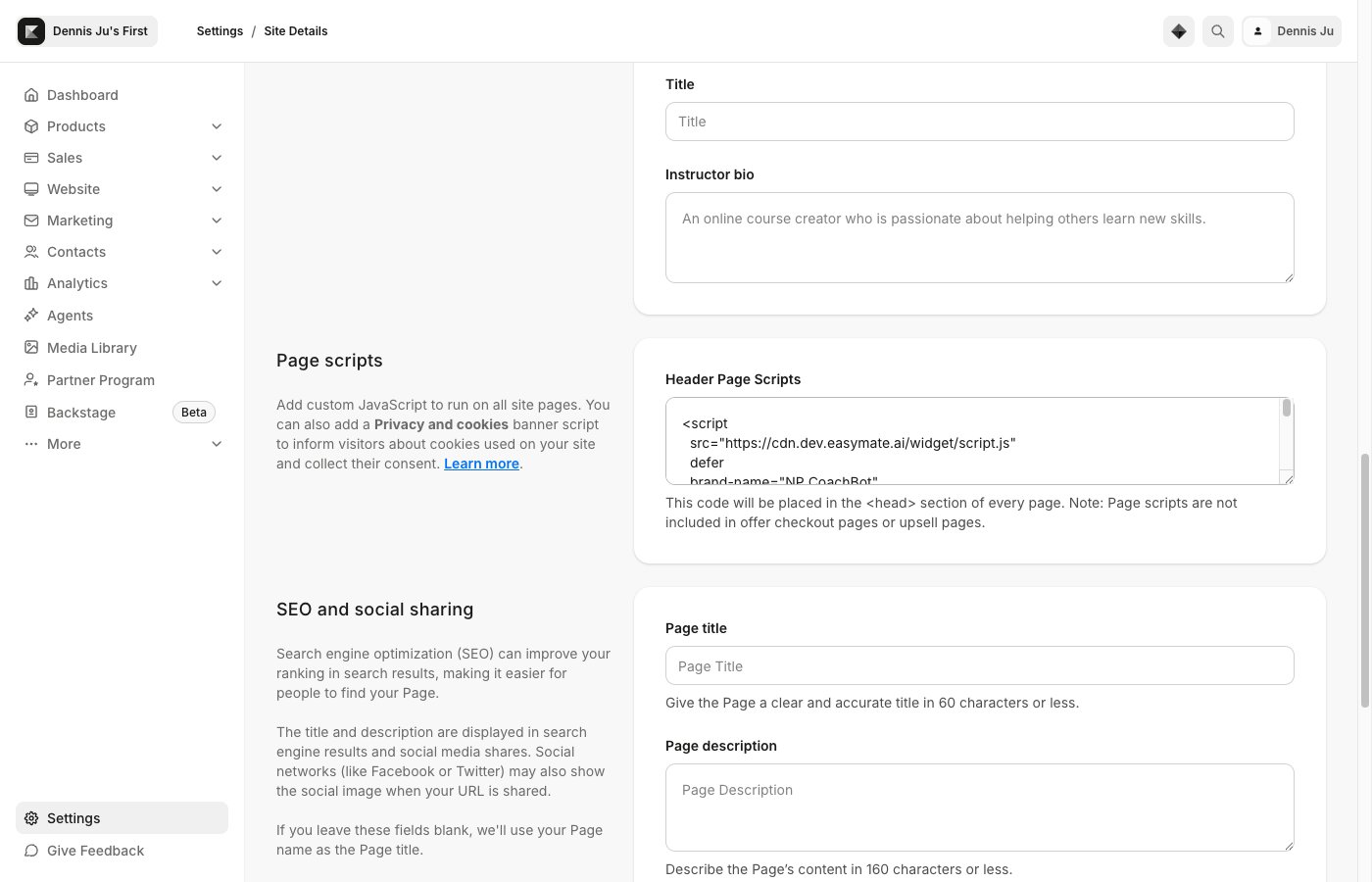
Paste your snippet into the Header Page Scripts box, then click Save.
Kajabi adds Page scripts to every page except offer checkout and upsell pages, so the chat won’t appear on those.
Verify it’s working
- Open your live Kajabi site in a new browser tab (or an incognito window).
- Look for the chat button, usually in a bottom corner.
- Click it and send a test message.