

Adding knowledge during setup
The quickest place to add knowledge is the Your Content step when you set up your Sales Assistant. There you add website pages and upload documents like brochures, FAQs, and price lists.Managing knowledge later
You can add to or tidy up your knowledge at any time from the Builder.- Open the Builder from the left menu.
- Go to Knowledge Sources.
- You’ll see your existing sources, such as your website. Click Add Source to add more.
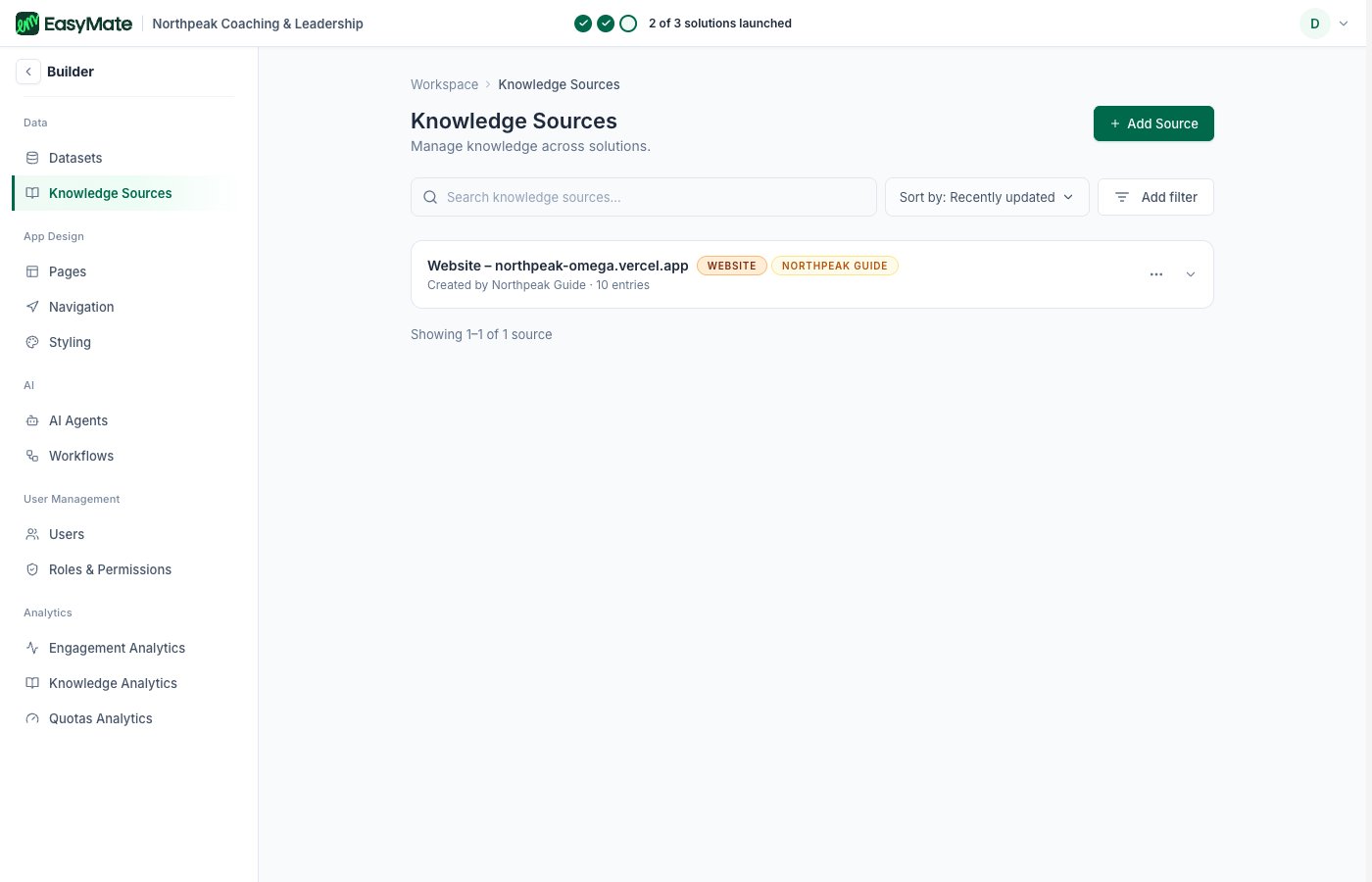
Your knowledge sources live in the Builder. Add your website pages and documents here.
What makes good knowledge
- Your key pages: the ones that explain what you do, who you help, and your pricing.
- Helpful documents: FAQs, brochures, and guides your customers ask about.
- Keep it current: if something changes on your website or in a document, update the source so your assistants stay accurate.