> ## Documentation Index
> Fetch the complete documentation index at: https://easymate.ai/docs/llms.txt
> Use this file to discover all available pages before exploring further.
# Kajabi
> Add your Sales Assistant chat widget to Kajabi with Page scripts so it appears across your site.
This guide shows how to put your Sales Assistant on a Kajabi site as a chat widget, so it appears across your whole site.
Before you start, [launch your Sales Assistant and copy your install snippet](/docs/solutions/sales-assistant/deploying/overview). Keep it on your clipboard, you'll paste it in below.
## Add the snippet with Page Scripts
Kajabi has a **Page scripts** area that runs custom code on every page of your site. This is the right place for a chat widget. (You don't need Kajabi's paid Custom Code Editor for this.)
1. In Kajabi, go to **Website**, then **Design**.
2. Click **Site Details** (at the top of the Design page).
3. Scroll down to the **Page scripts** section.
4. Paste your EasyMate snippet into the **Header Page Scripts** box.
5. Click **Save**.
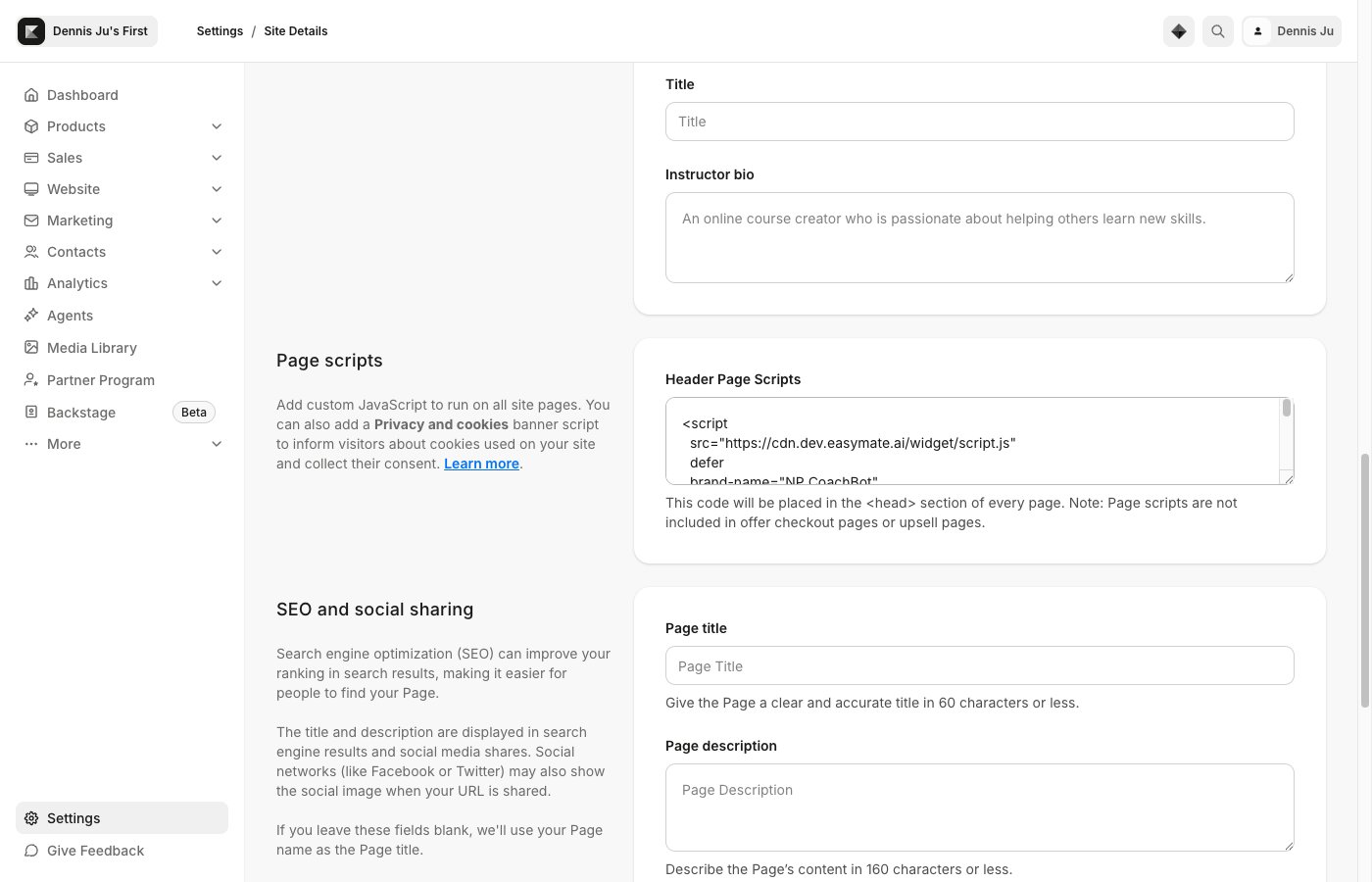 Kajabi adds Page scripts to every page except offer checkout and upsell pages, so the chat won't appear on those.
## Verify it's working
1. Open your live Kajabi site in a new browser tab (or an incognito window).
2. Look for the chat button, usually in a bottom corner.
3. Click it and send a test message.
If it doesn't appear, see [Troubleshooting](/docs/solutions/sales-assistant/deploying/troubleshooting).
Kajabi adds Page scripts to every page except offer checkout and upsell pages, so the chat won't appear on those.
## Verify it's working
1. Open your live Kajabi site in a new browser tab (or an incognito window).
2. Look for the chat button, usually in a bottom corner.
3. Click it and send a test message.
If it doesn't appear, see [Troubleshooting](/docs/solutions/sales-assistant/deploying/troubleshooting).