> ## Documentation Index
> Fetch the complete documentation index at: https://easymate.ai/docs/llms.txt
> Use this file to discover all available pages before exploring further.
# Using your Leads Portal
> A tour of the Leads Portal app you and your invited team use every day: the dashboard, leads, your pipeline, activities, and your reps.
Once your [Leads Portal](/docs/solutions/leads-portal) is launched, it opens as its own app at your web address. This is the app you work in every day, and the app your [invited teammates](/docs/solutions/leads-portal/team) sign in to. Here's a tour.
New here? [Leads Portal](/docs/solutions/leads-portal) covers the one-time setup (your pipeline stages, the details you track, and who has access). This page is about using it once it's live.
## Dashboard
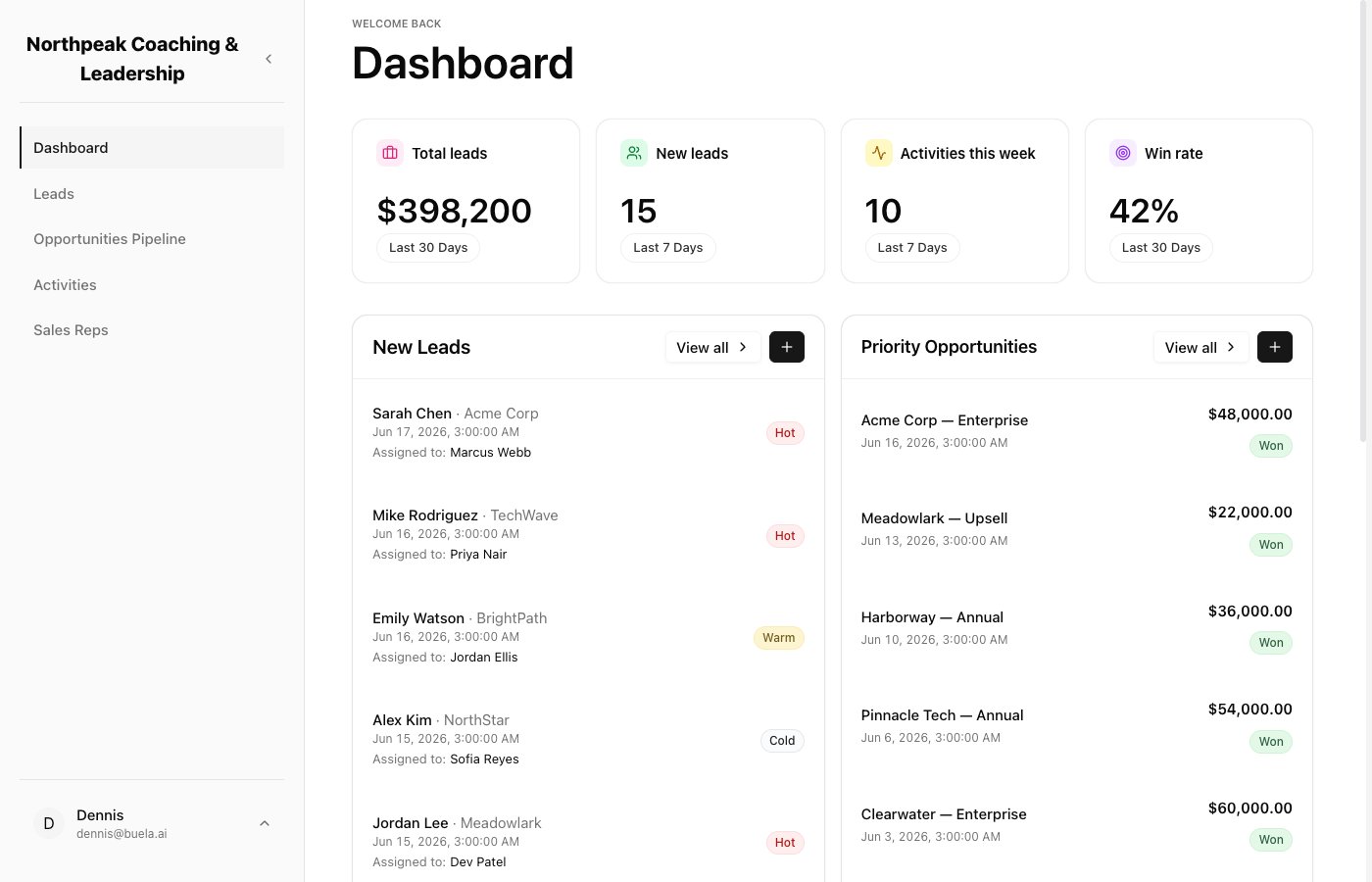
When you sign in, you land on the **Dashboard**: your key numbers at the top (total leads, new leads, activities this week, win rate), your newest leads, and your priority opportunities. The left menu takes you to **Leads**, **Opportunities Pipeline**, **Activities**, and **Sales Reps**.
 ## Leads
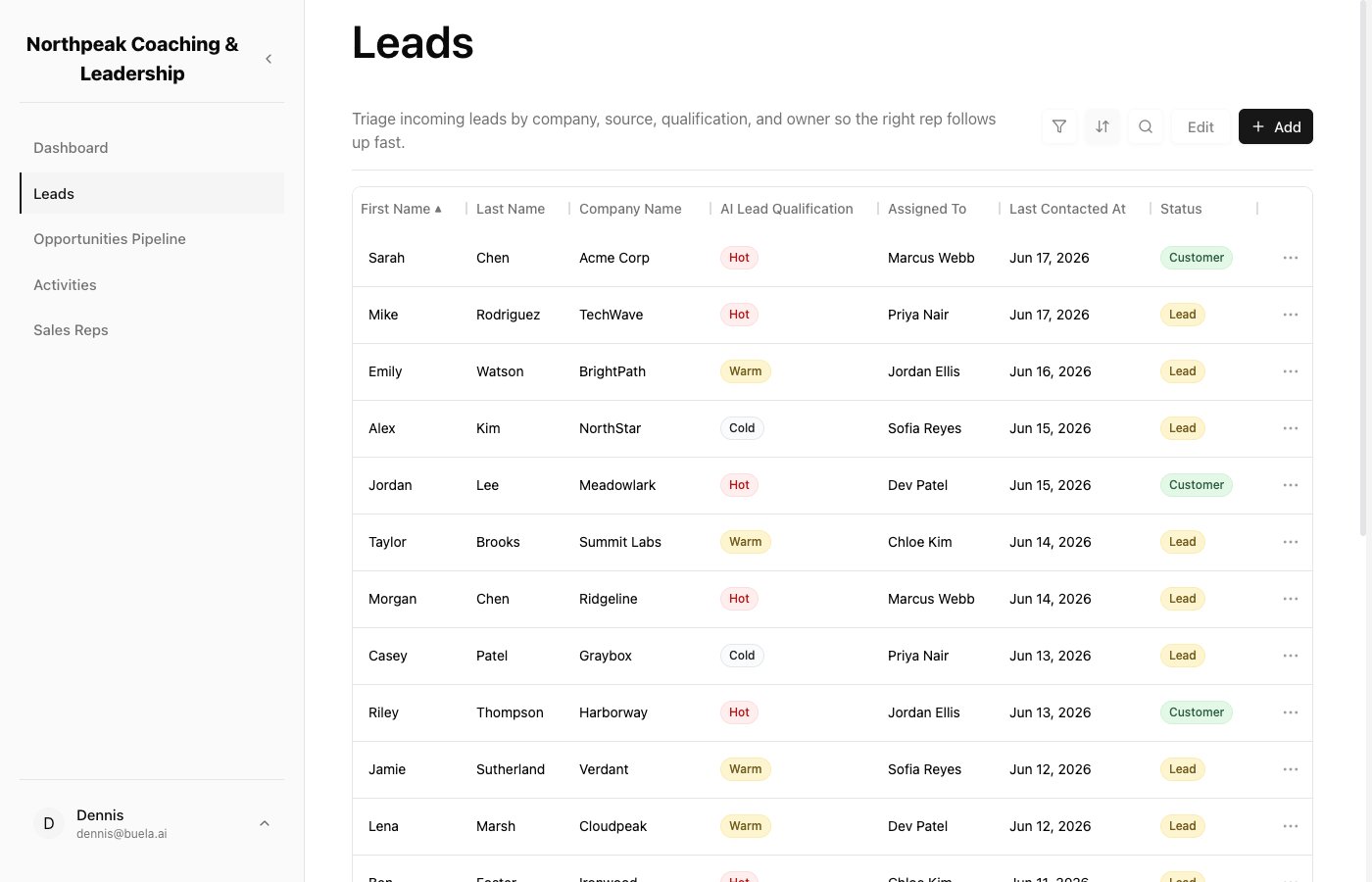
The **Leads** list is every person who has come in. You can see their company, who they're assigned to, when they were last contacted, and their status. The **AI Lead Qualification** column shows how promising each lead looks (Hot, Warm, or Cold), so you can focus on the best ones first. Use **Add** to enter a lead by hand.
## Leads
The **Leads** list is every person who has come in. You can see their company, who they're assigned to, when they were last contacted, and their status. The **AI Lead Qualification** column shows how promising each lead looks (Hot, Warm, or Cold), so you can focus on the best ones first. Use **Add** to enter a lead by hand.
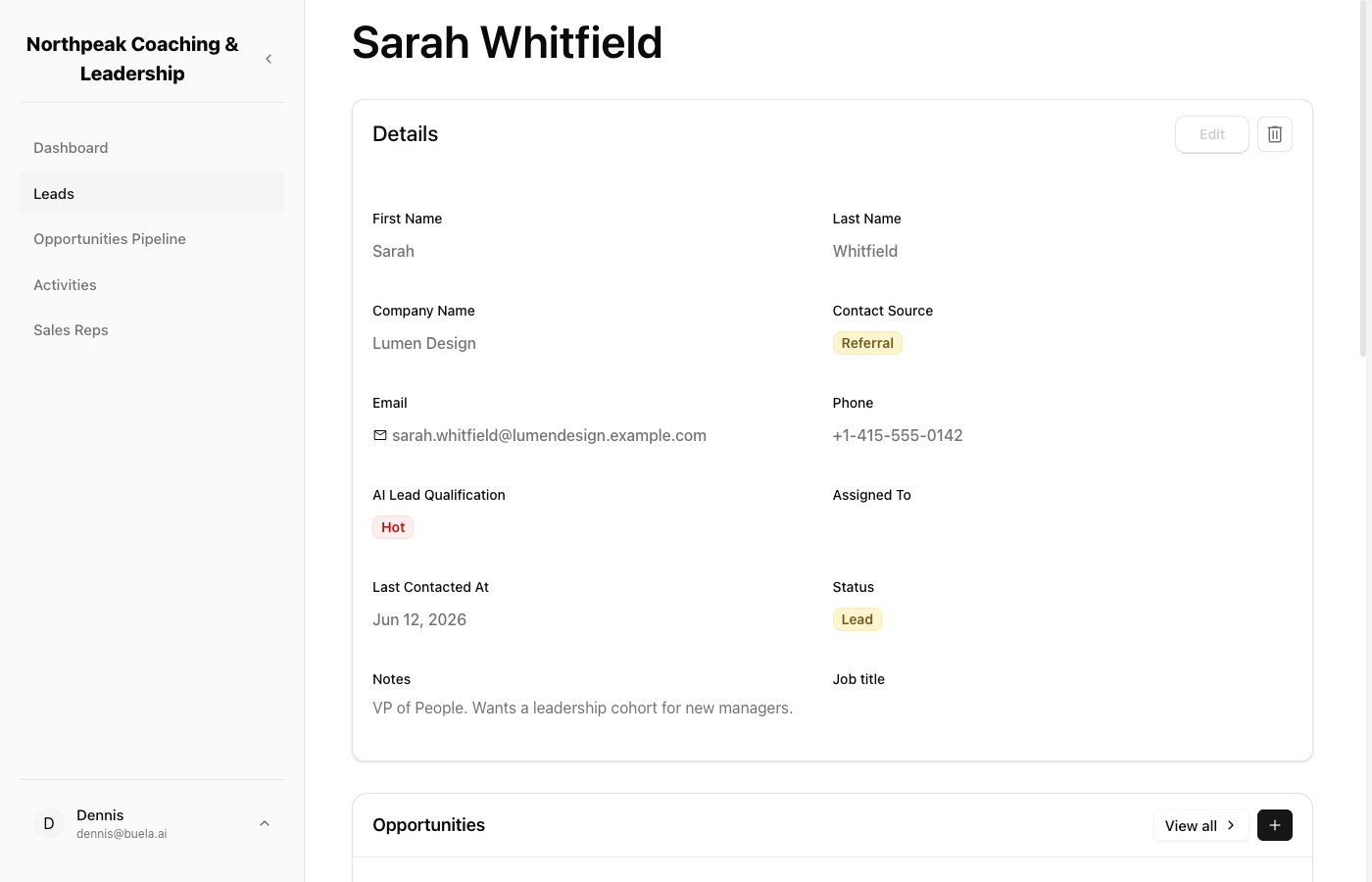
 Click any lead to open their record, with all their details and notes. Leads your [Sales Assistant](/docs/solutions/sales-assistant) captured arrive here automatically, already filled in.
 ## Opportunities Pipeline
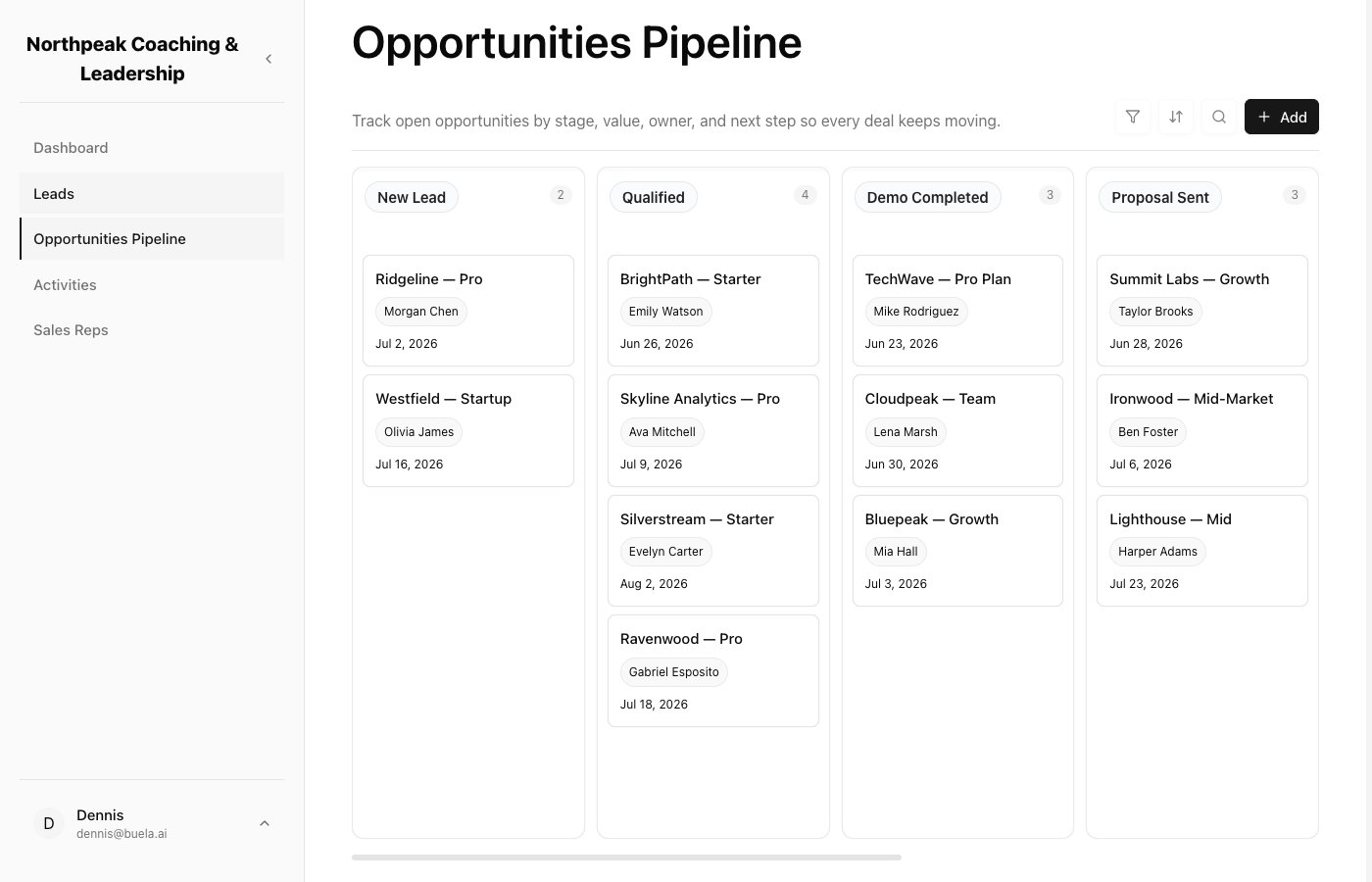
The **Opportunities Pipeline** is your board: your stages as columns, with each deal as a card you can drag from one stage to the next. Moving a card is also what triggers your [Follow-Up Assistant](/docs/solutions/follow-up-assistant) to send the right email, if you've set one up for that stage.
## Opportunities Pipeline
The **Opportunities Pipeline** is your board: your stages as columns, with each deal as a card you can drag from one stage to the next. Moving a card is also what triggers your [Follow-Up Assistant](/docs/solutions/follow-up-assistant) to send the right email, if you've set one up for that stage.
 ## Activities
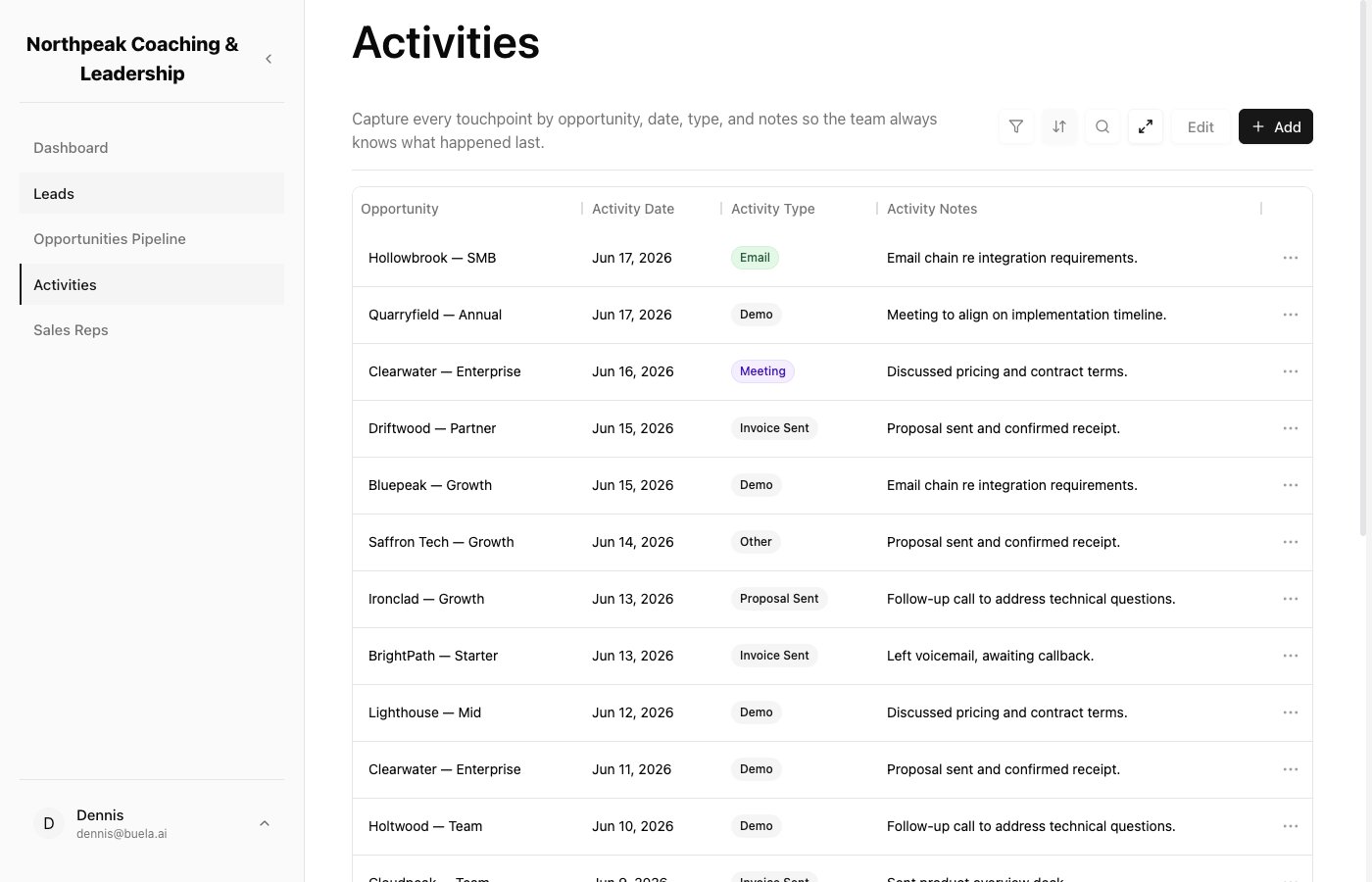
**Activities** is the running history of every touchpoint: calls, emails, meetings, tasks, and notes, each tied to an opportunity. Emails your Follow-Up Assistant sends are logged here too, so the whole team can see what's happened.
## Activities
**Activities** is the running history of every touchpoint: calls, emails, meetings, tasks, and notes, each tied to an opportunity. Emails your Follow-Up Assistant sends are logged here too, so the whole team can see what's happened.
 ## Sales Reps
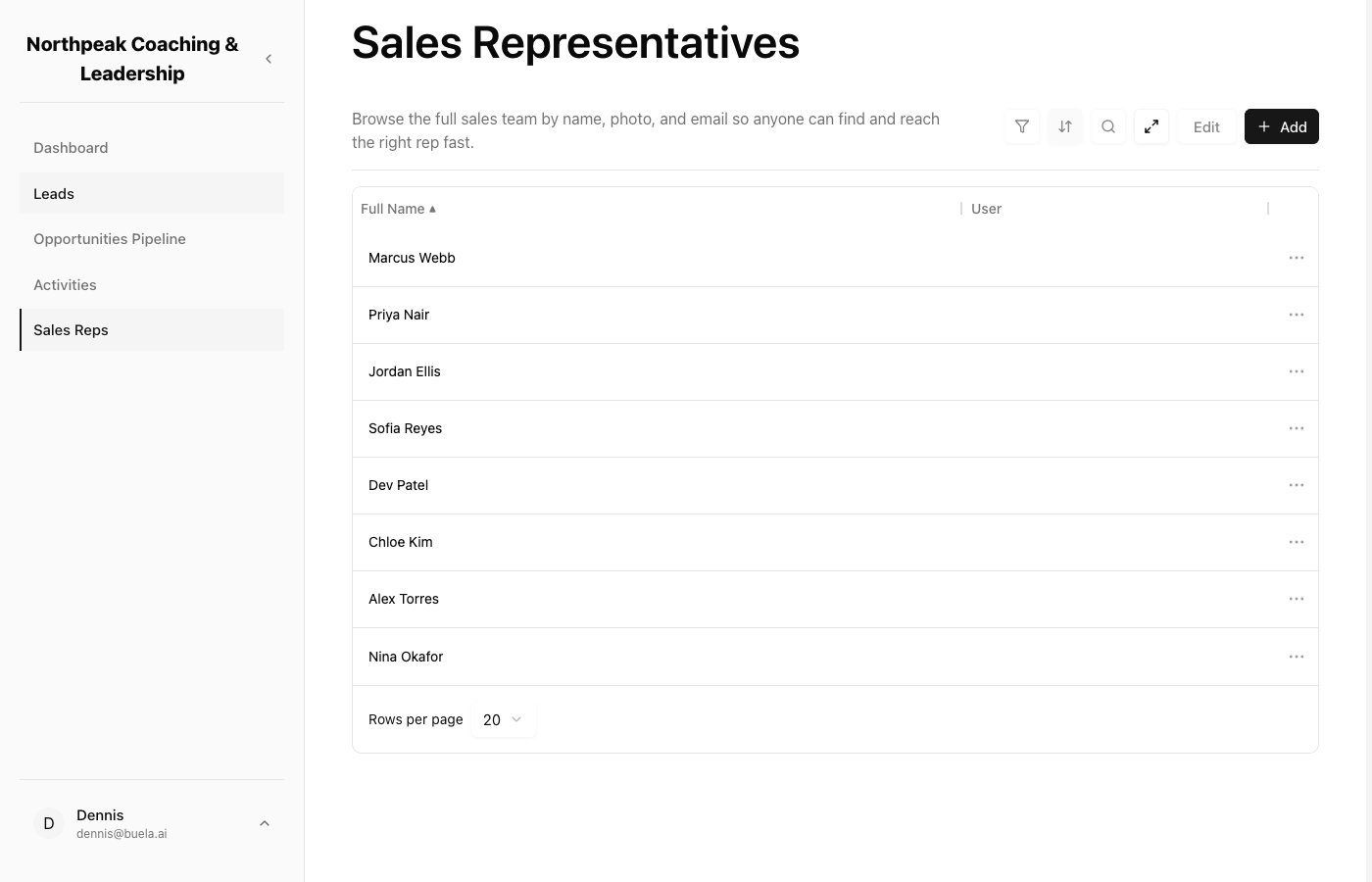
**Sales Reps** lists your team members so anyone can find the right person and reach them quickly. This is the directory; to invite people and set what they can do, see [Your team and roles](/docs/solutions/leads-portal/team).
## Sales Reps
**Sales Reps** lists your team members so anyone can find the right person and reach them quickly. This is the directory; to invite people and set what they can do, see [Your team and roles](/docs/solutions/leads-portal/team).