> ## Documentation Index
> Fetch the complete documentation index at: https://easymate.ai/docs/llms.txt
> Use this file to discover all available pages before exploring further.
# The Builder
> The advanced area where you can fine-tune everything behind your solutions, for when you want more control than the guided setup gives.
Your solutions, the [Sales Assistant](/docs/solutions/sales-assistant), [Leads Portal](/docs/solutions/leads-portal), and [Follow-Up Assistant](/docs/solutions/follow-up-assistant), are the guided, simplified way to set things up. Behind them sits the **Builder**, the full, advanced layer where every setting lives.
A good way to picture it: your solutions are like flat-pack furniture, guided steps that get you a great result fast. The Builder is the full workshop, with all the parts and tools laid out, for when you want to build or adjust something exactly your way.
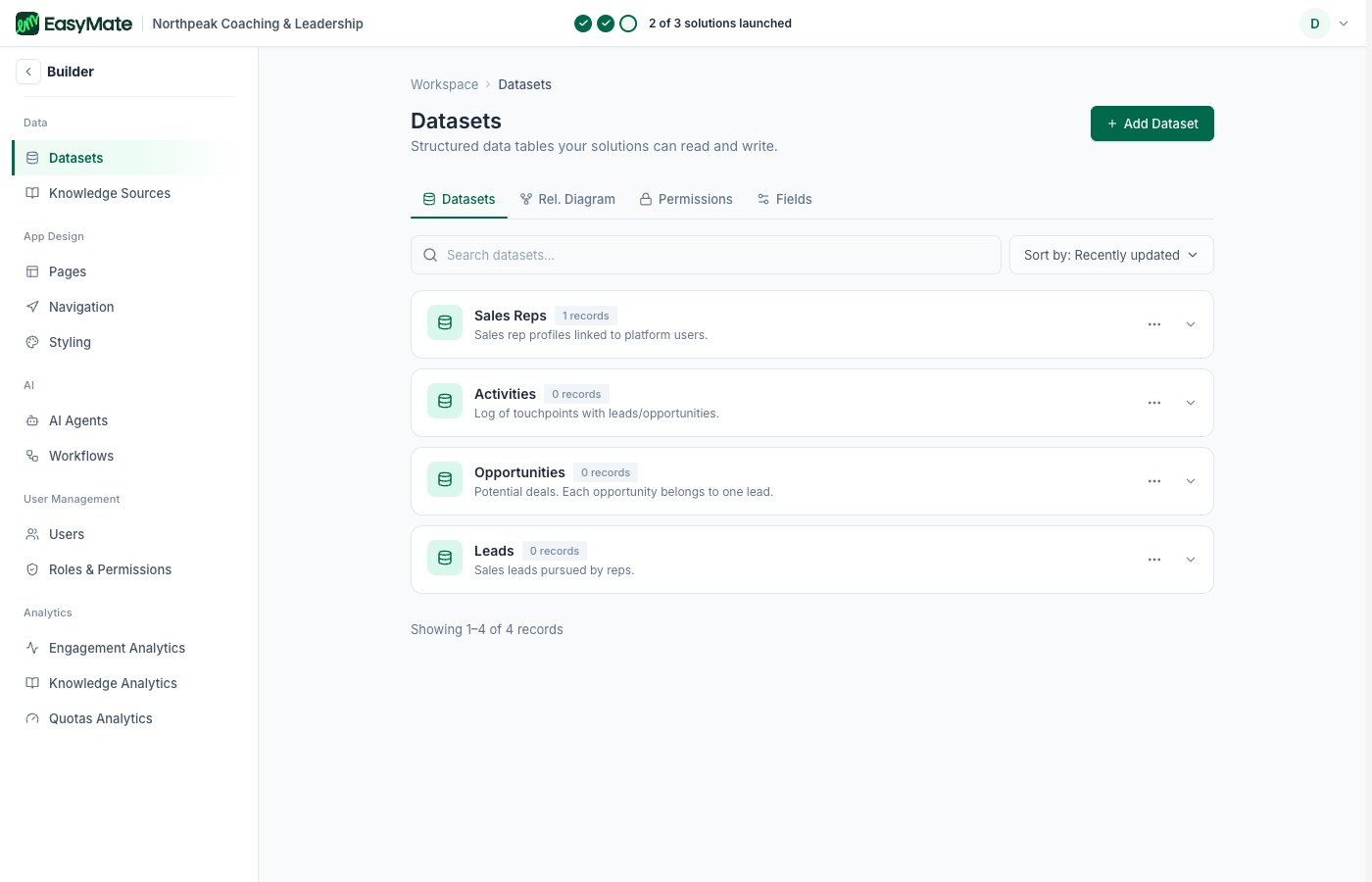
The guided setup covers everything most businesses need, so you may never have to open the Builder. But when you want more control, this is where you find it. You open it from the **Builder** option in the left menu.
 ## How it relates to your solutions
When you set up a solution, EasyMate is quietly configuring things in the Builder for you. After you build a [Sales Assistant](/docs/solutions/sales-assistant), its agent appears under **AI Agents** with far more settings than the setup wizard showed. The simple roles you pick for your [Leads Portal](/docs/solutions/leads-portal) map to **Roles & Permissions**, where you can control access in much finer detail.
Some settings live **only** in the Builder. For example, you can allow public registration to your app from here, something the Leads Portal, which always requires a sign-in, doesn't offer.
You don't need the Builder to run your business day to day. Think of it as the place to look under the hood or fine-tune something the guided setup doesn't cover. Changes here affect the same assistants and app your solutions set up, so change one thing at a time.
## What's in the Builder
* **Data:** [Datasets](/docs/going-deeper/builder/datasets) (the structured data your solutions store) and [Knowledge Sources](/docs/going-deeper/builder/knowledge-sources) (what your assistants answer from).
* **[App Design](/docs/going-deeper/builder/app-design):** your app's Pages, Navigation, and Styling.
* **AI:** your [AI Agents](/docs/going-deeper/builder/ai-agents) (and Workflows, where enabled).
* **User Management:** your Users and [Roles & permissions](/docs/going-deeper/builder/roles-and-permissions).
* **[Analytics](/docs/going-deeper/builder/analytics):** how people use your assistants and app.
The pages in this section walk through each area in plain language, focusing on the extra control it gives you beyond the guided setup.
## How it relates to your solutions
When you set up a solution, EasyMate is quietly configuring things in the Builder for you. After you build a [Sales Assistant](/docs/solutions/sales-assistant), its agent appears under **AI Agents** with far more settings than the setup wizard showed. The simple roles you pick for your [Leads Portal](/docs/solutions/leads-portal) map to **Roles & Permissions**, where you can control access in much finer detail.
Some settings live **only** in the Builder. For example, you can allow public registration to your app from here, something the Leads Portal, which always requires a sign-in, doesn't offer.
You don't need the Builder to run your business day to day. Think of it as the place to look under the hood or fine-tune something the guided setup doesn't cover. Changes here affect the same assistants and app your solutions set up, so change one thing at a time.
## What's in the Builder
* **Data:** [Datasets](/docs/going-deeper/builder/datasets) (the structured data your solutions store) and [Knowledge Sources](/docs/going-deeper/builder/knowledge-sources) (what your assistants answer from).
* **[App Design](/docs/going-deeper/builder/app-design):** your app's Pages, Navigation, and Styling.
* **AI:** your [AI Agents](/docs/going-deeper/builder/ai-agents) (and Workflows, where enabled).
* **User Management:** your Users and [Roles & permissions](/docs/going-deeper/builder/roles-and-permissions).
* **[Analytics](/docs/going-deeper/builder/analytics):** how people use your assistants and app.
The pages in this section walk through each area in plain language, focusing on the extra control it gives you beyond the guided setup.