> ## Documentation Index
> Fetch the complete documentation index at: https://easymate.ai/docs/llms.txt
> Use this file to discover all available pages before exploring further.
# App design
> Customize the pages, navigation, and styling of your hosted app, beyond what a solution's look-and-feel settings offer.
**App Design** is where you shape your hosted app itself: its pages, its menus, and its styling. A solution like the [Leads Portal](/docs/solutions/leads-portal) gives you a ready-made app with sensible defaults, and App Design is the full control underneath. Your Leads Portal is one ready-made example of a hosted EasyMate app, and the same App Design tools can reshape it into other kinds of internal apps for your team.
 ## Pages
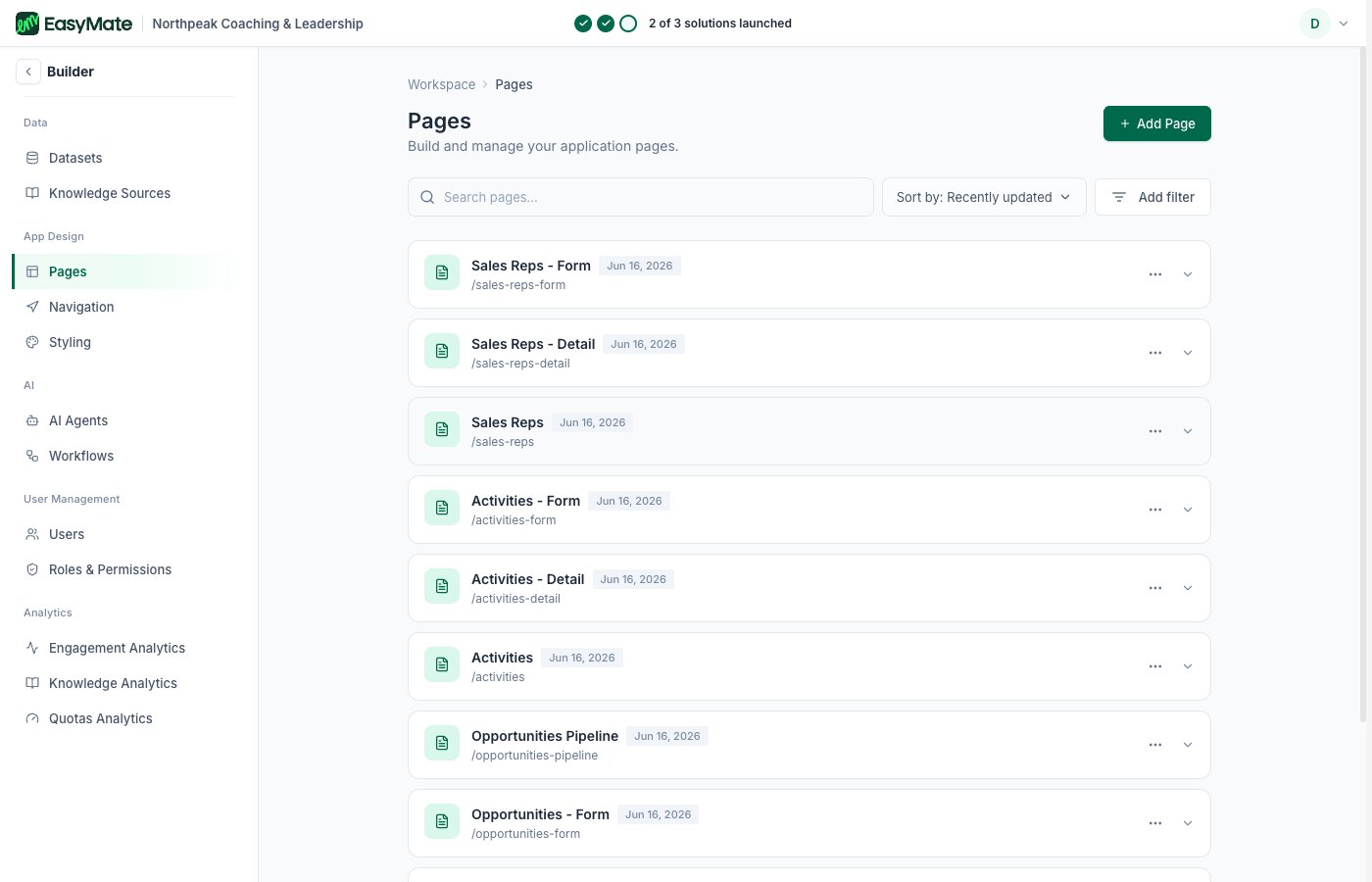
Build and manage the pages of your app. Each screen your team uses (the dashboard, leads, and so on) is a page here, and you can edit a page's settings or add new ones.
## Navigation
Control how people move around your app.
* **Main Navigation:** choose which pages show in the primary menu and reorder them.
* **Footer Navigation:** manage the links in the footer.
* **Homepage:** set the page people land on after they sign in.
## Styling
The full styling controls for your app: colors, fonts, logo, and theme. This is the advanced version of the Leads Portal's [Branding and settings](/docs/solutions/leads-portal/branding). Changes here apply across the whole app, with a live preview as you go.
## Pages
Build and manage the pages of your app. Each screen your team uses (the dashboard, leads, and so on) is a page here, and you can edit a page's settings or add new ones.
## Navigation
Control how people move around your app.
* **Main Navigation:** choose which pages show in the primary menu and reorder them.
* **Footer Navigation:** manage the links in the footer.
* **Homepage:** set the page people land on after they sign in.
## Styling
The full styling controls for your app: colors, fonts, logo, and theme. This is the advanced version of the Leads Portal's [Branding and settings](/docs/solutions/leads-portal/branding). Changes here apply across the whole app, with a live preview as you go.